

✦ मित्र · inside BlueOneHR
Every finding arrives
with its evidence.
मित्र checks your HR records against a set of policies and raises the few things that need a person. Each one names the records it came from and what to review, and where you allow it, opens the case and assigns it.
01 · Detection
Twenty-four policies,
nine areas of your data.
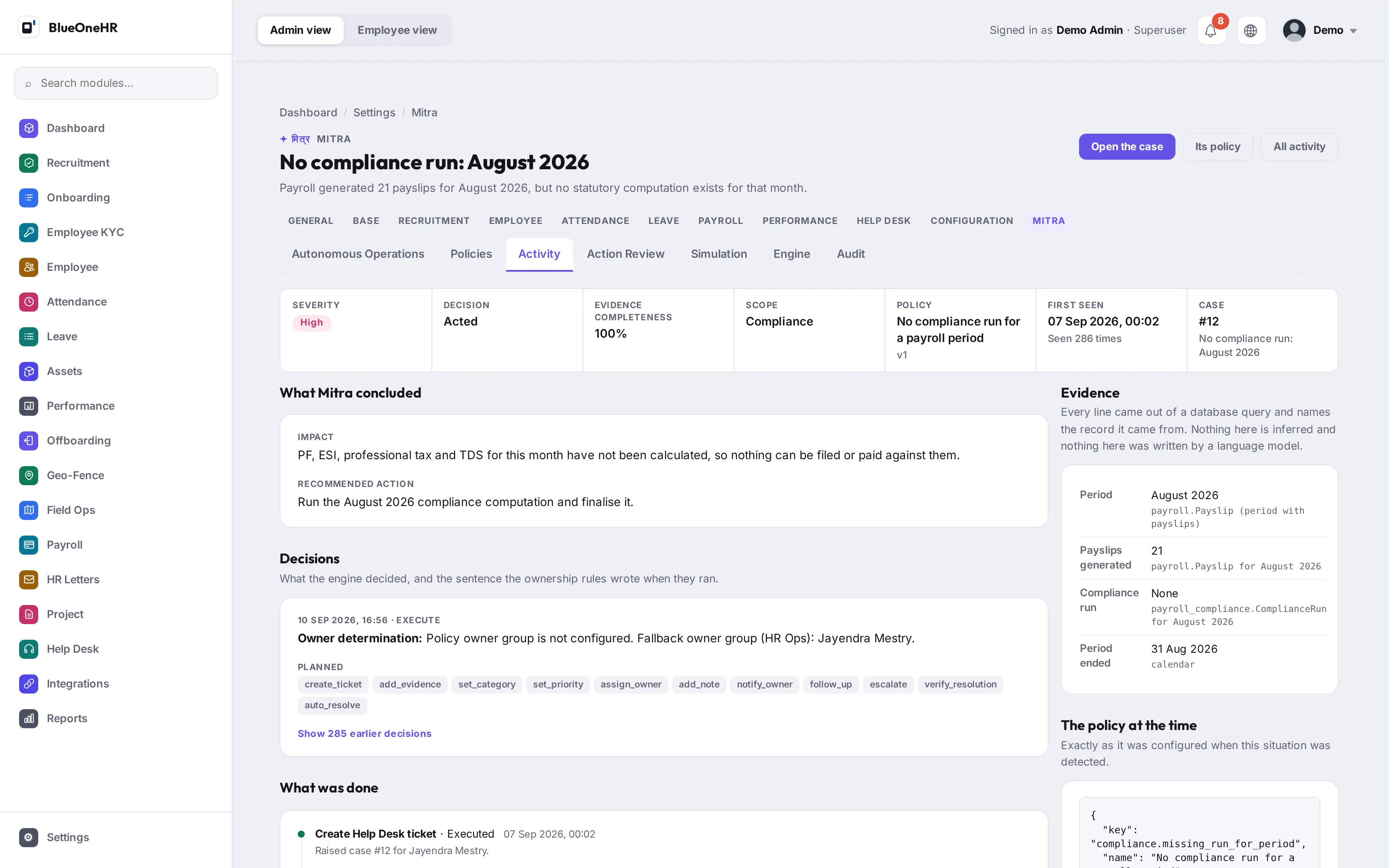
Help Desk, employee records, attendance, leave, payroll, onboarding, offboarding, assets and compliance. Each policy is a query with a rule attached, so a finding can be traced: you can ask which rule fired, what it read, and what it saw.
A policy that looks for something missing declares which sources it needs. If one of them is stale the policy does not run, and it says so, because nobody punching in is not the same as attendance having stopped being recorded.
02 · Evidence
It points back at the records.
Every line of evidence names the row it came from, so your team can check a finding before acting on it rather than taking it on trust.
CONFIDENCE IS A COUNT
The fraction of the sources a policy needed that it could actually read. Counted, never estimated, and an empty result is a successful read rather than a low score.
THE POLICY, AS IT WAS
A finding carries the version of the policy that produced it, so a later change to a threshold does not quietly rewrite what happened.
03 · Recommendation and authority
You decide what it is allowed to do.
Detection, recommendation and execution are three separate switches, set per area of your HR data. There is no single switch for all of it, and a scope with execution on and detection off changes nothing.
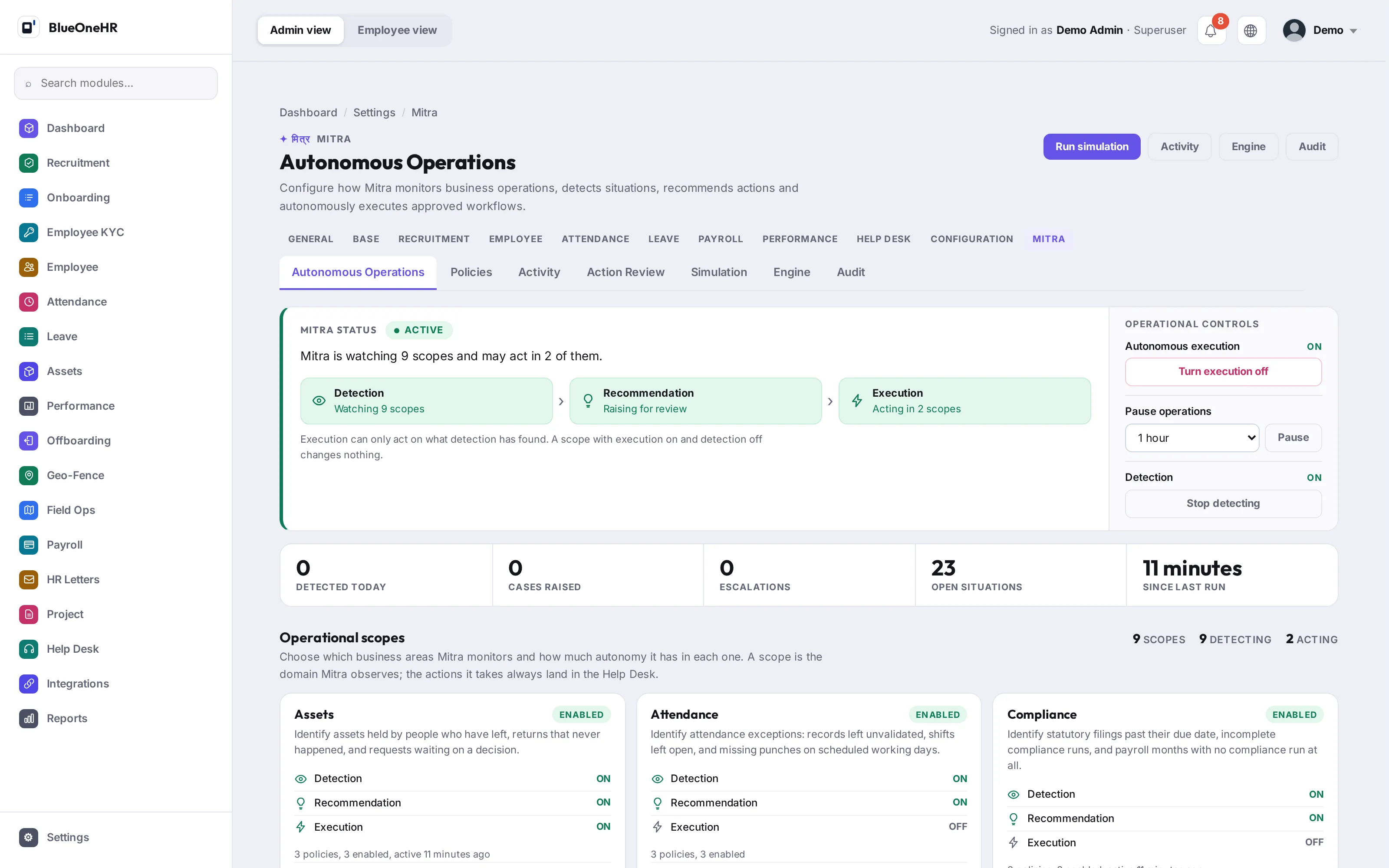
GLOBAL SWITCH AND PAUSE
The whole engine can be switched off, or paused for a period, from one control.
PER ACTION
Beyond the scope, each action it may take is permitted separately: open a case, chase it, escalate it, close it.
FULL AUDIT
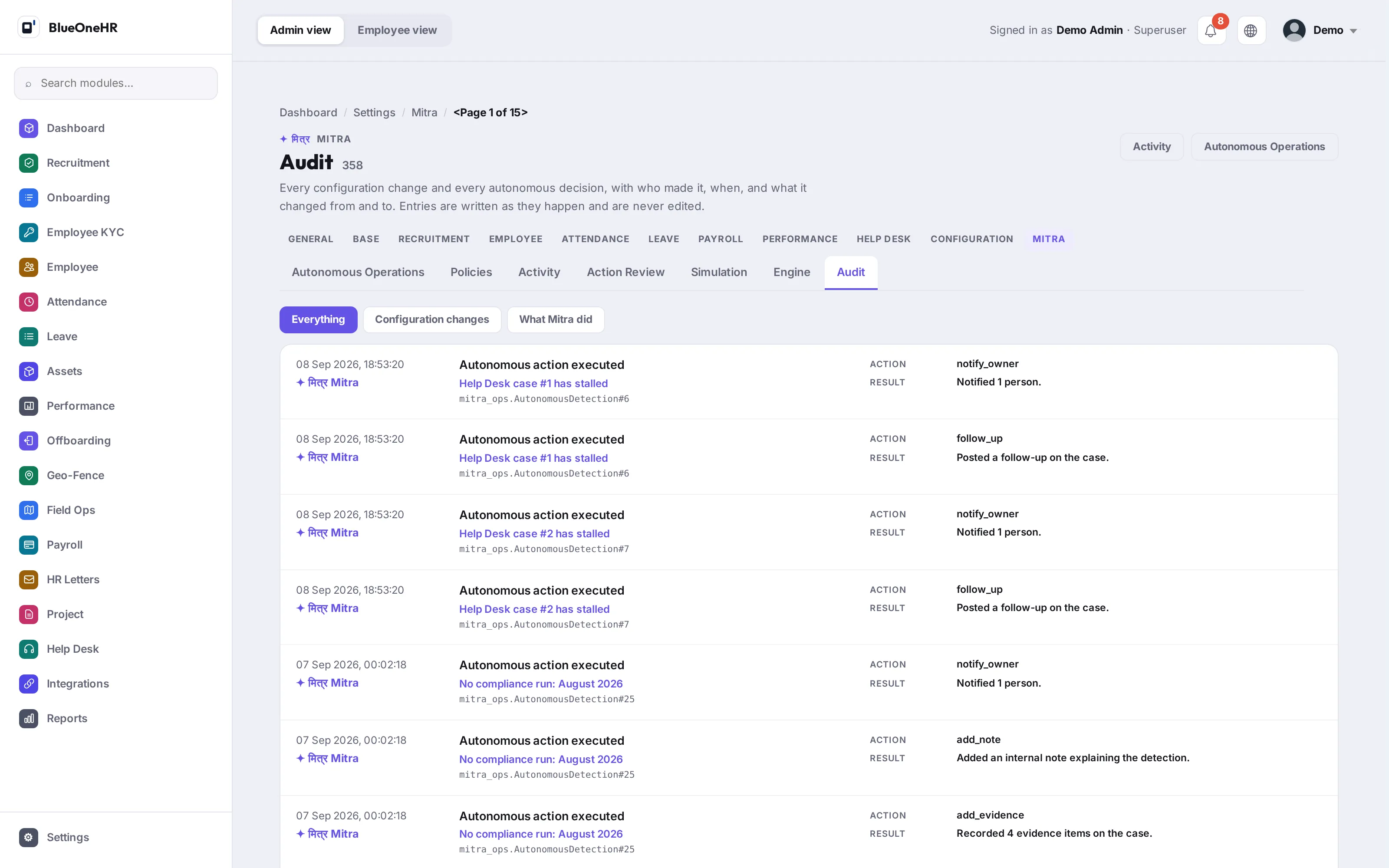
What it did, when, under which policy version, and who permitted it, in an append-only record.
04 · Controlled action
What it does lands in the Help Desk.
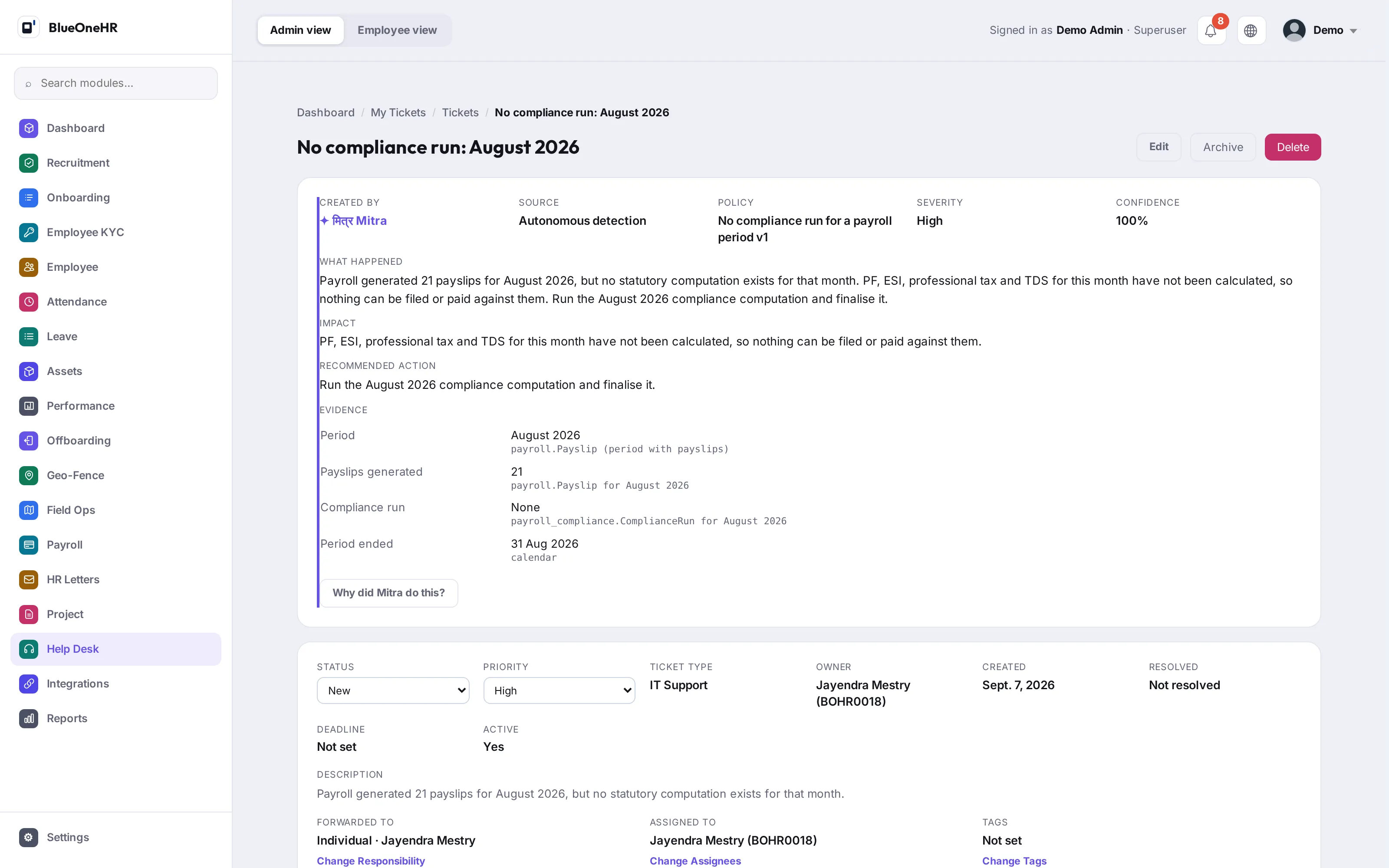
A scope is the area मित्र observes; the action it takes always lands in the Help Desk, as an ordinary case with a named owner that anyone on the team can pick up and work.
Find the signal. Show the evidence. Recommend the next step. Let a person decide what happens.